
Introduction
Learning becomes more exciting when students actively participate instead of simply reading textbooks. Minecraft Education activities combine creativity, teamwork, and problem-solving to create meaningful classroom experiences. Teachers can design engaging lessons covering science, mathematics, history, language arts, and coding through an interactive virtual world. Beginners appreciate the simple building tools, while intermediate learners enjoy more advanced challenges and collaborative projects. Whether used in classrooms or at home, these activities encourage curiosity, imagination, and practical learning skills that students can apply beyond the game.
What is Minecraft Education Activities?
Minecraft Education activities are structured learning tasks created within Minecraft Education Edition to support educational goals. Instead of focusing only on entertainment, students complete projects, solve challenges, and explore virtual environments while learning academic concepts.
Examples include designing historical landmarks, creating mathematical models, writing stories, building ecosystems, and practicing coding with simple programming tools. These experiences encourage active participation while making difficult subjects easier to understand.
Why is Minecraft Education Activities Important?
Interactive learning helps students remember information more effectively than passive reading. Minecraft Education activities promote creativity, communication, and critical thinking while keeping learners motivated.
Teachers can adapt lessons for different ages and learning styles. Students gain confidence by experimenting, collaborating with classmates, and solving problems in a safe digital environment. This flexible approach supports both individual and group learning experiences.
Step-by-Step Guide
Step 1: Define Learning Objectives
Choose a clear educational goal before starting. For example, a science lesson may focus on ecosystems, while a history lesson explores ancient civilizations.
Step 2: Prepare the World
Select or create a Minecraft world that matches your lesson. Add useful resources, building areas, and simple instructions for students.
Step 3: Assign Activities
Provide specific tasks with achievable objectives. Students might build a sustainable village, recreate a famous monument, or solve mathematical puzzles.
Step 4: Encourage Collaboration
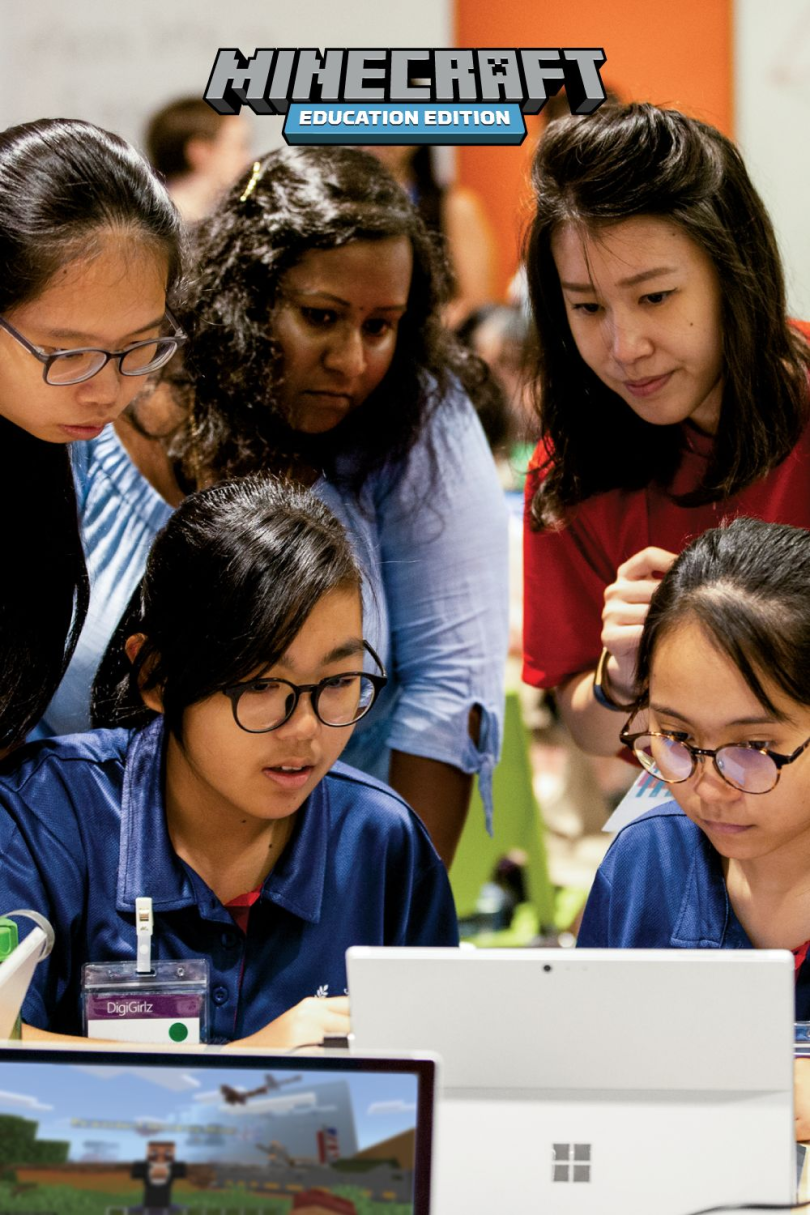
Divide learners into small groups where everyone has responsibilities. Teamwork improves communication, leadership, and problem-solving abilities.
Step 5: Review Learning Outcomes
After completing the project, discuss results together. Ask students to explain their designs, challenges, and lessons learned through the activity.
Benefits
- Makes lessons interactive and enjoyable.
- Encourages creativity through building projects.
- Develops collaboration and teamwork skills.
- Improves problem-solving and critical thinking.
- Supports coding and digital literacy.
- Increases student motivation and classroom participation.
- Works across multiple school subjects.
- Helps learners apply knowledge through practical experiences.
Risks or Disadvantages
- Requires suitable devices and internet access in some situations.
- Students may become distracted without clear objectives.
- Teachers need preparation time for lesson planning.
- Technical issues can interrupt classroom activities.
- Beginners may require additional guidance before starting.
Common Mistakes to Avoid
Avoid beginning without defined learning goals. Open-ended gameplay can reduce educational value if students lack direction.
Do not create activities that are too complicated for beginners. Start with simple challenges before introducing advanced projects.
Remember to monitor teamwork and participation. Every student should contribute rather than allowing one person to complete everything.
Finally, always review completed projects. Reflection helps students connect their virtual experiences with real educational outcomes.
FAQs
1. What subjects can be taught? Mathematics, science, history, geography, language arts, and computer science work especially well.
2. Are these activities suitable for beginners? Yes. Simple building tasks make learning accessible for new users.
3. Can students work together? Absolutely. Collaborative projects encourage communication and shared problem-solving.
4. Do teachers need coding experience? No. Many activities require no programming knowledge, although coding lessons are available.
5. Can learning happen at home? Yes. Families can use guided projects to reinforce classroom concepts in an engaging way.
Expert Tips
Plan lessons with measurable objectives instead of focusing only on gameplay. Introduce one concept at a time and gradually increase complexity as students gain confidence.
Use real-world examples to connect virtual projects with everyday learning. Encourage students to explain their designs, ask thoughtful questions, and reflect on improvements after each activity. Regular feedback keeps learners motivated while strengthening understanding. Rotating team roles also ensures everyone develops leadership, communication, and creative problem-solving skills.
Conclusion
Minecraft Education activities offer an engaging way to transform traditional lessons into memorable learning experiences. By combining creativity, collaboration, and practical challenges, students develop academic knowledge alongside valuable life skills. Teachers and parents can adapt projects for different subjects, ages, and learning levels without sacrificing educational quality. With thoughtful planning, clear objectives, and regular reflection, these activities become powerful tools for inspiring curiosity and lifelong learning. They demonstrate that education can be both meaningful and enjoyable while preparing students for future success in an increasingly digital world.